
ERP, CRM and HR integration
We connect your business applications, with data sources and synchronisation rules defined together.
APIs · Mapping · Synchronisation
Integration and modernisation
We build data exchanges between systems and modernise existing applications. For teams that copy information, reconcile exports or depend on components that are difficult to change.
Software projects for
 PPC România
We start with the path information takes: where it originates, who uses it and which system it needs to reach.
We connect your business applications, with data sources and synchronisation rules defined together.
APIs · Mapping · SynchronisationWe build validation, logging and retry mechanisms so your team can track errors and discrepancies.
Validation · Exceptions · ReportingWe rebuild the priority components of your application, checking dependencies and preparing a migration plan.
Components · Migration · ContinuityFrom our portfolio
PPC România
APP2TRAVEL brings travel requests, approvals and cost information together in an operational platform.
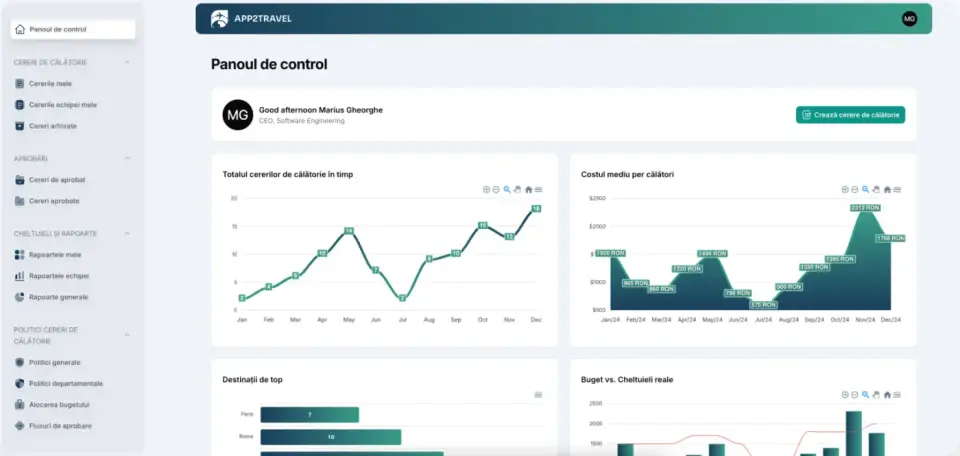
What we delivered
We start with a clearly defined workflow. We test it with representative data before extending the integration.
We catalogue interfaces, data and technical constraints.
We test the integration against a clearly defined, verifiable scenario.
We migrate in stages, with validation and a rollback plan.
At every stage, we consider
How we assess progressWe track manual interventions, synchronisation errors and the time it takes an update to reach its destination.
More about how we workExample solutions
Three common situations and how we can approach them. Choose the example that feels familiar.
Synchronised data, with clear rules
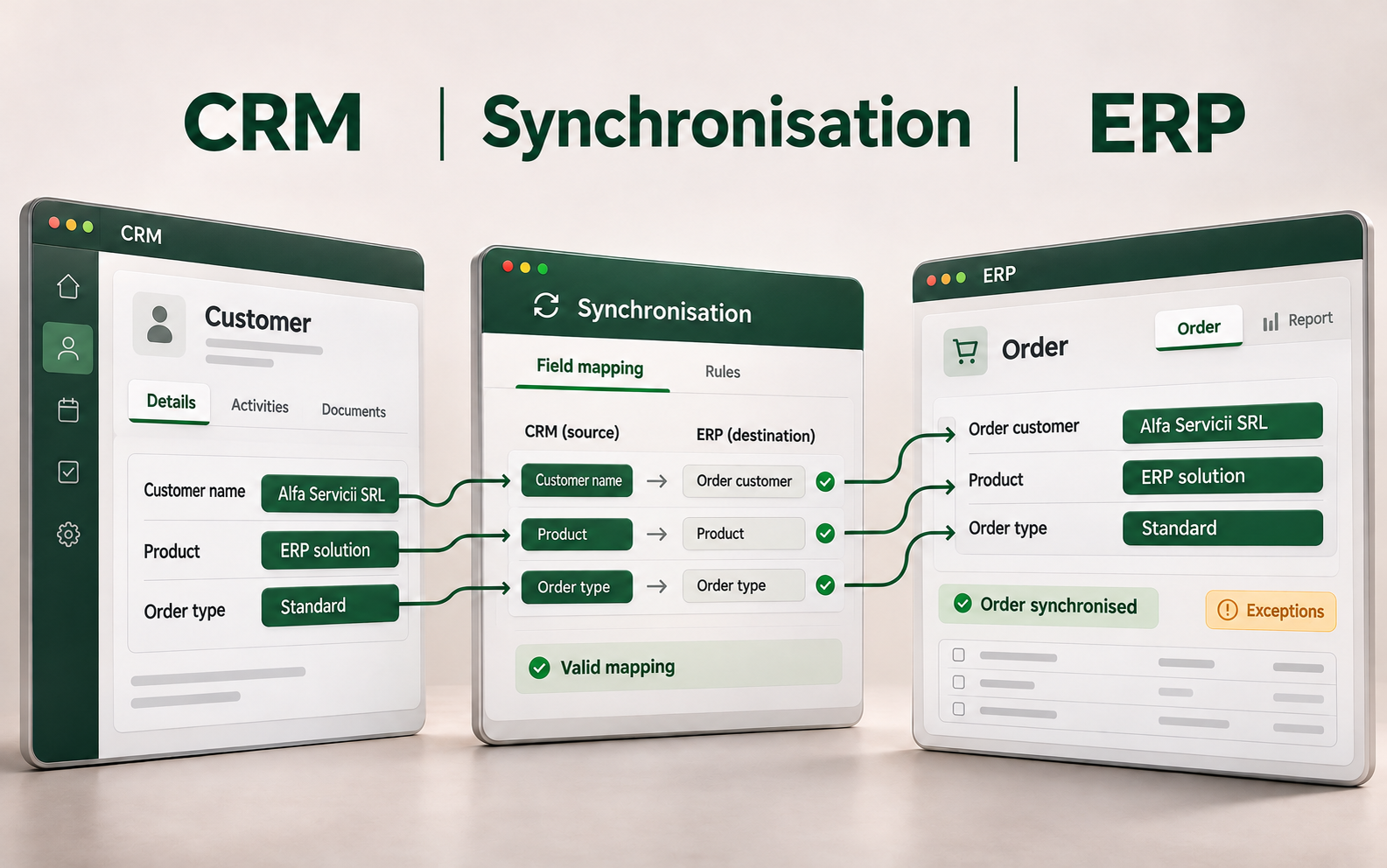
Validation and duplicate-handling rules accompany every transfer.
What we build
We establish the source of each piece of information, map the fields and connect the systems. We add validation and explicitly handle duplicates and conflicting updates.
What changes
Information flows between applications, with exceptions available for review.
A verifiable data flow
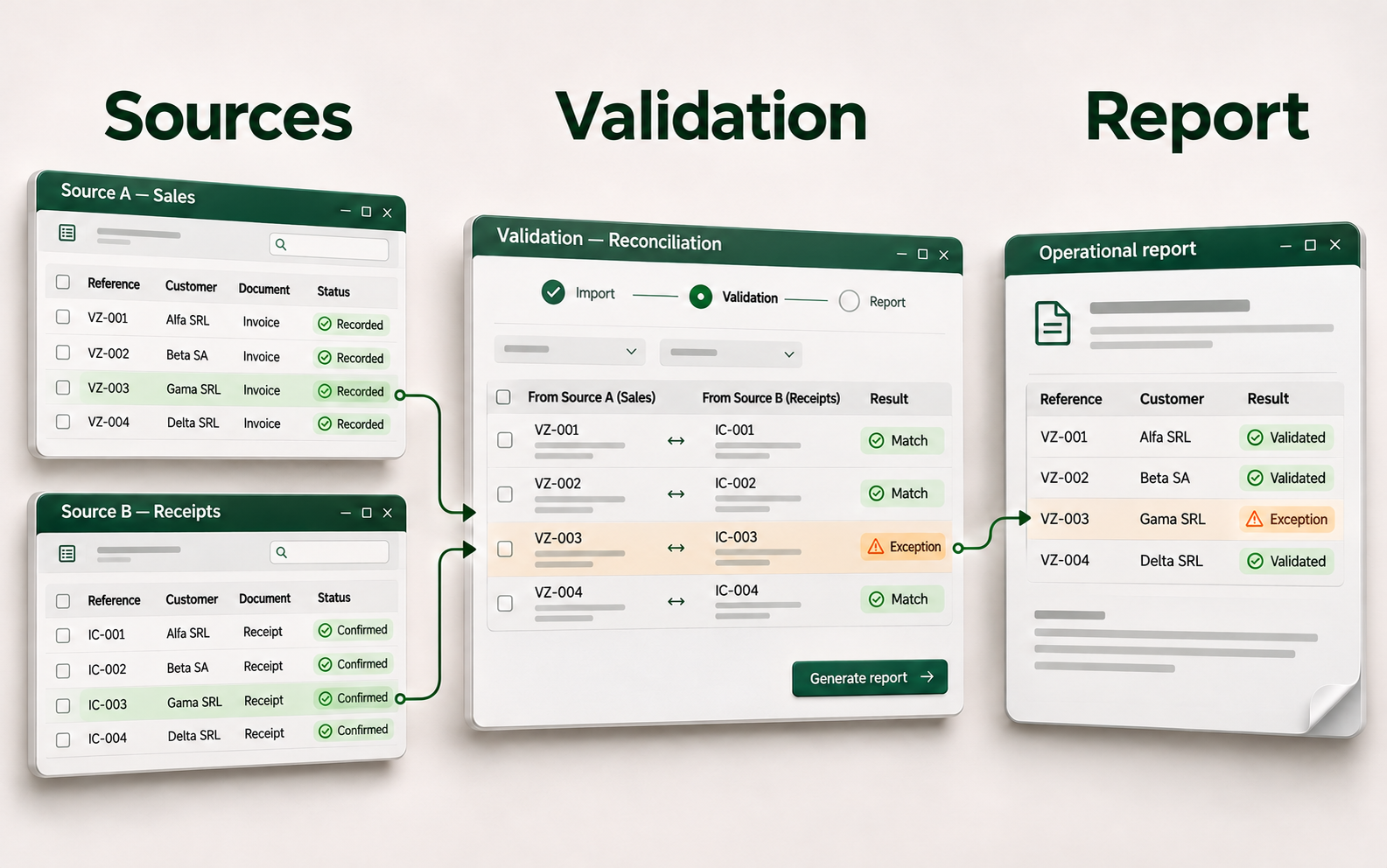
Data provenance and discrepancies requiring investigation remain visible.
What we build
We align definitions and update schedules. We build controlled imports and checks between source and destination, with visibility into any data that has not arrived.
What changes
The team can see the source, the time of the last update and discrepancies to investigate.
Component-by-component modernisation
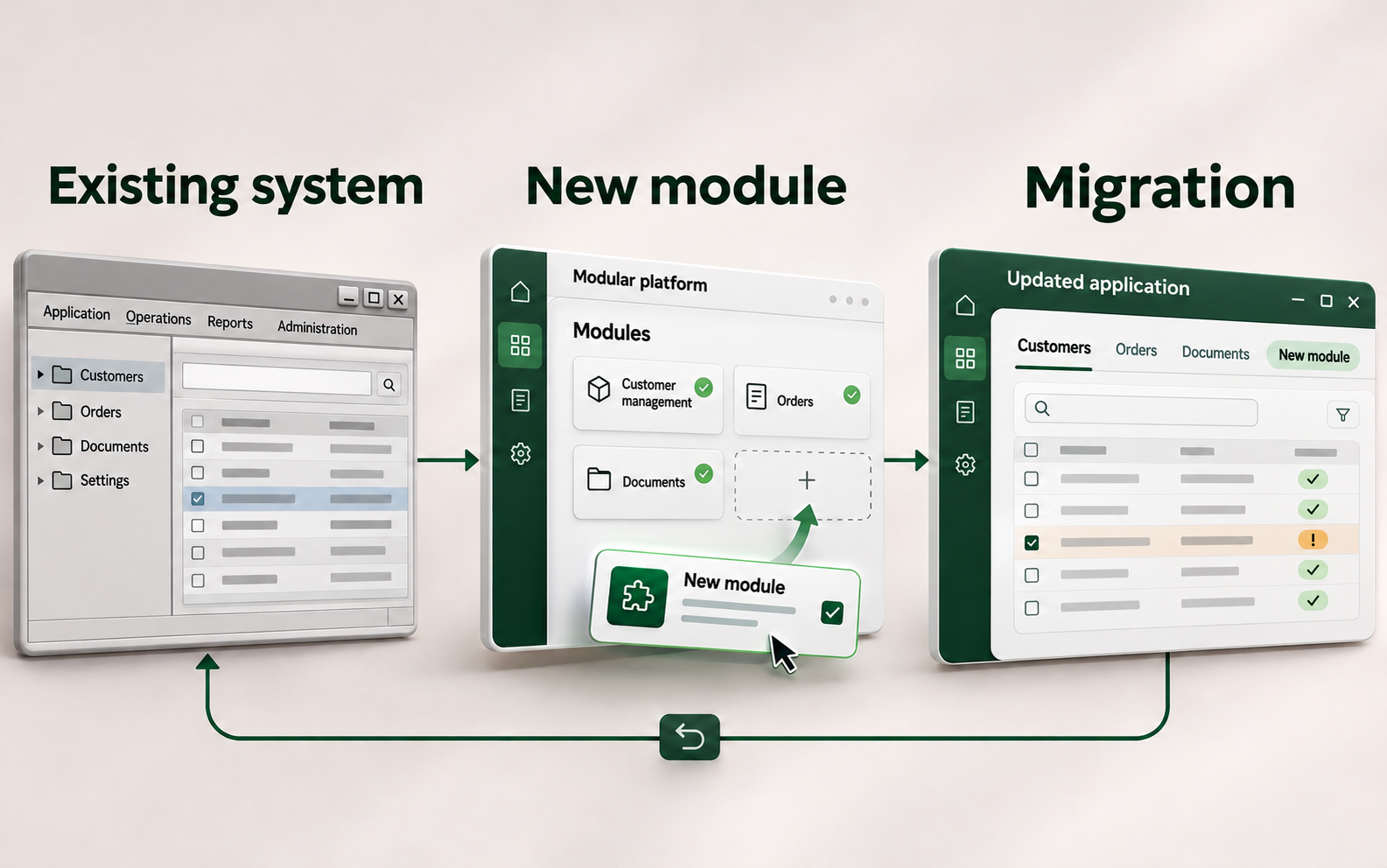
Every stage includes checks and rollback conditions.
What we build
We identify dependencies and choose a clearly defined area. We build the new component, check compatibility and prepare migration and rollback for each stage.
What changes
The application can evolve through clearly scoped changes, validated before wider rollout.
Explore your industry context
System access, migration and modernisation options.
We assess the available options: vendor-provided interfaces, file exchange or other approved mechanisms. Feasibility depends on access and system constraints.
Not always. We identify components that can be retained and propose modernisation stages based on risk and value.
We agree the mapping, checks, migration windows and rollback conditions before execution.
First, we validate a single data flow.
For example, we choose an order in the CRM that needs to reach the ERP. We check access, data and possible errors before extending the integration.
ContactFor our first conversation, it helps to have
Do not have all the answers yet? We will work through them together.